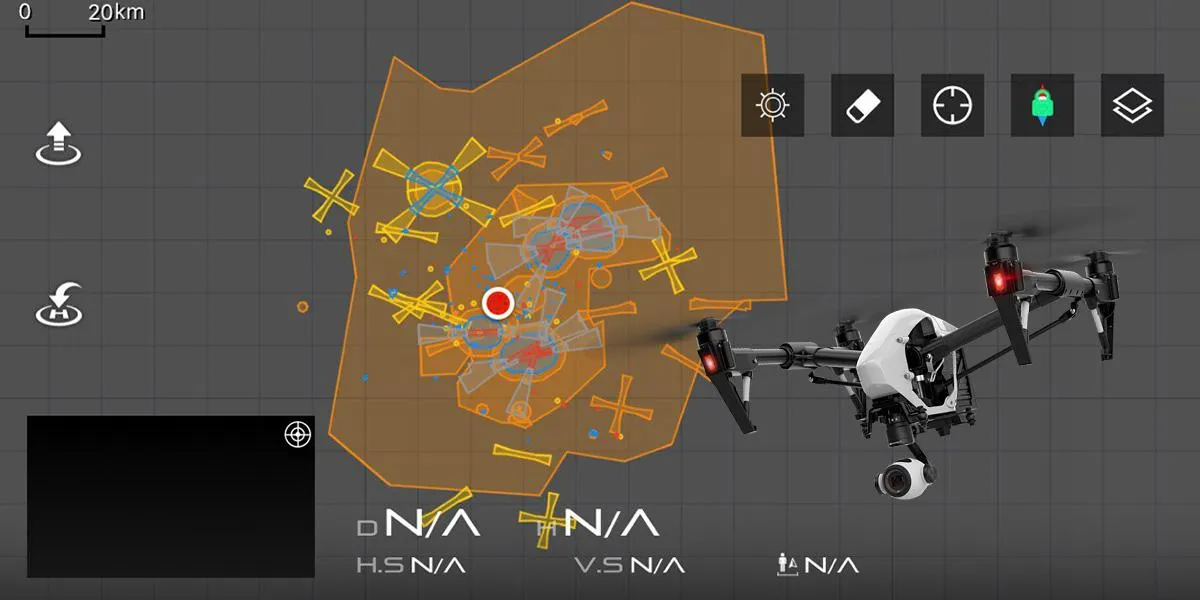

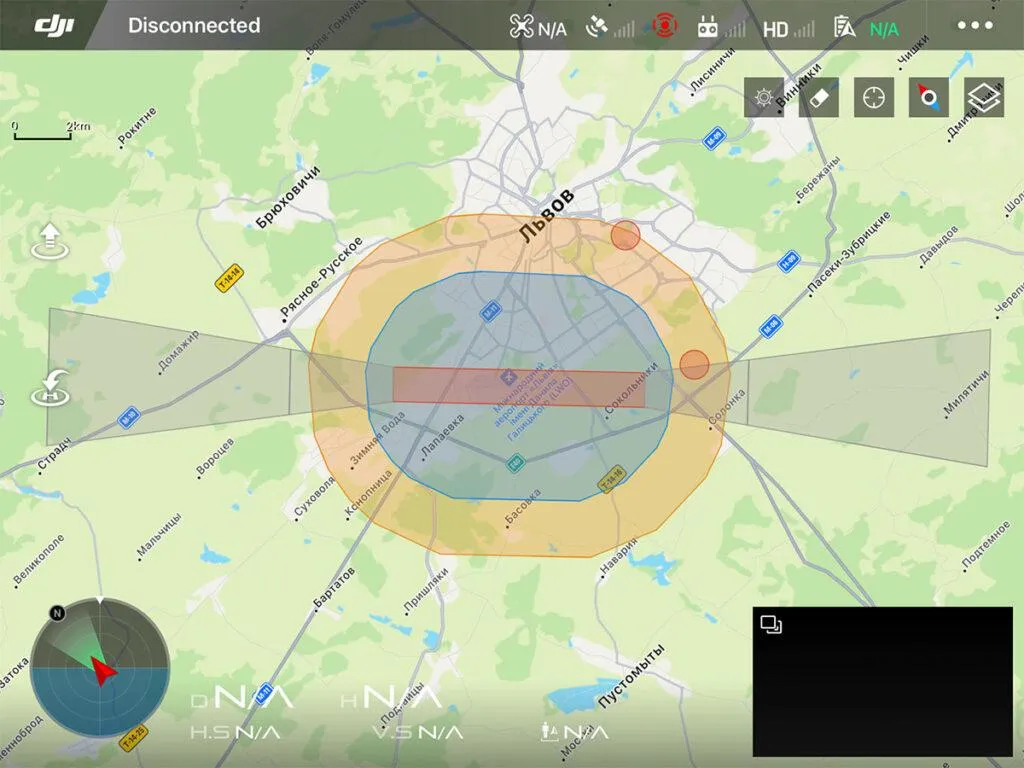
No Flight Zones (NFZ) are areas designated by DJI as places where drones either cannot fly at all or can fly with restrictions. DJI itself calls them “GEO zones”. Zones prohibited for flights at the time of writing exist only for DJI drones. NFZ is not a dot with coordinates, it is several nested shapes, marked on the map in different colors, and where restrictions of different order apply. The outer figure is indicated in orange, can be of arbitrary shape, and measures more than 5 kilometers.
In the outer zone, flights are possible, but the flight program warns you about the danger and does not recommend climbing above 50m. The average zone can be 3-5km in diameter, denoted by blue. It is impossible to fly to this zone from the outside. When you try to take off in the blue zone, a warning appears in the flight program window that you are in the authorization zone. You can unlock this zone for your drone by entering your phone number and receiving an SMS with the unlock code.
By entering the unlock code in the flight program window, you can unlock the blue zone for flights for a couple of days. This procedure does not always work. The inner figure is red, it is small, covers the outer contour of the runway or stadium. In this zone, the drone cannot start the engines, and if you try to fly into it from the outside, from the blue zone, the drone will stop at the border of the red zone and will not fly further. Typically, NFZs are closed from drones airfields and some stadiums to prevent potential dangers of drone approaching aircraft or quadcopter flights over crowds of people in stadiums.
The second restriction is a ban on flying over 500m. The meaning of the limitation is that from a height of up to 500 m. the drone can descend and sit down even after receiving the first signal about the battery discharge (15%). From a height of more than 500 m. energy for lowering and landing may not be enough, and at some point the engines will stop and the drone will simply fall with a stone.
Why remove restrictions. The blue and red zones of the NFZ can cover very large areas, making it impossible to fly over them. In addition, there has been an increase in cases of GPS spoofing (coordinate swaps), where drones forcibly plant, transmitting fake blue or red NFZ coordinates to the drone, which triggers the immediate emergency landing algorithm. In most cases, GPS spoofing leads to the loss of the drone. Removing height restrictions will be useful for shooting panoramas from a height of about a kilometer, or reduces the visibility of the drone.
There are several ways to bypass NFZ. The first is authorization, but it only works in the blue zone and is not always reliable. Another way is to shield the GPS antenna with foil so that the drone does not detect that it is in the NFZ. This method is not reliable, the drone after some time still determines its position and forcibly sits down. In addition, DJI drones do not fly further than 30m with navigation disabled. The most reliable way to remove restrictions today is to hack the drone software using the Drone-Hacks program from the site of the same name https://drone-hacks.com/.
Unfortunately, it is not possible to remove NFZ and height restrictions for all DJI drones and not for all firmware versions. For the DJI Mavic 3 at the time of writing, the removal of restrictions is not possible. For other DJI drones, unlocking NFZ and altitude is possible, but not for the latest versions of their firmware. You can determine the possibility of removing restrictions specifically for your drone and its firmware version using the Birdmap service on the Drone-Hacks website.
There you can also see the cost of this procedure for your drone. For simple, consumerical drones, as defined by DJI, the cost of hacking the series is 40€. If you have a drone from the Enterprize professional line, you will have to pay 300€. From the beginning, it was an unlimited opportunity. Now the conditions have unfortunately changed, this amount will give you the opportunity to use the hack for a year from the moment of the break, in the future you will have to pay 40€ or 300€ per year again
What is the Drone-Hacks service? Drone-Hacks is a multifunctional service based on the site, consisting of a downloadable program for Windows, a web interface system for determining the possibility of hacking for various types of drones, and versions of their factory firmware, as well as a system for creating and controlling user accounts, accepting payments and linking them to accounts.
The process of unlocking NFZ and height limiting consists of two stages. In the first step you find your drone, the version of its firmware and the cost of hacking through Birdmap on the site Drone-Hacks. If hacking your firmware is possible, you proceed to the procedure of registering your account and paying. For the second stage, you will need the following:
Computer running Windows, best 10 version.
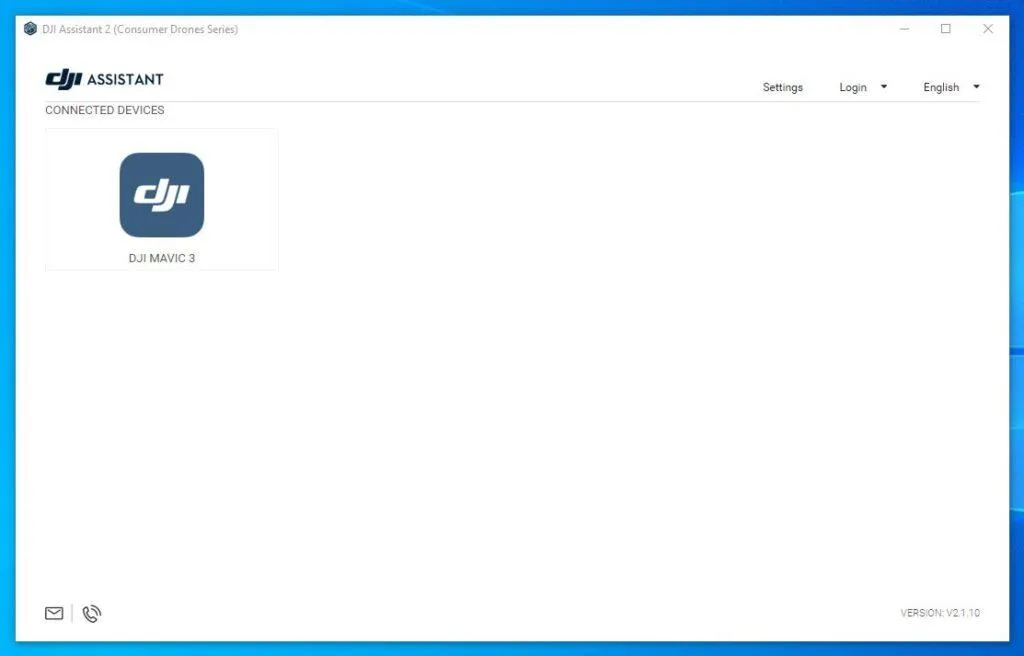
- Installed version of DJI Assistant 2 (Consumer Drones Series), from the DJI website, for example: https://www.dji.com/downloads/softwares/dji-assistant-2-consumer-drones-series
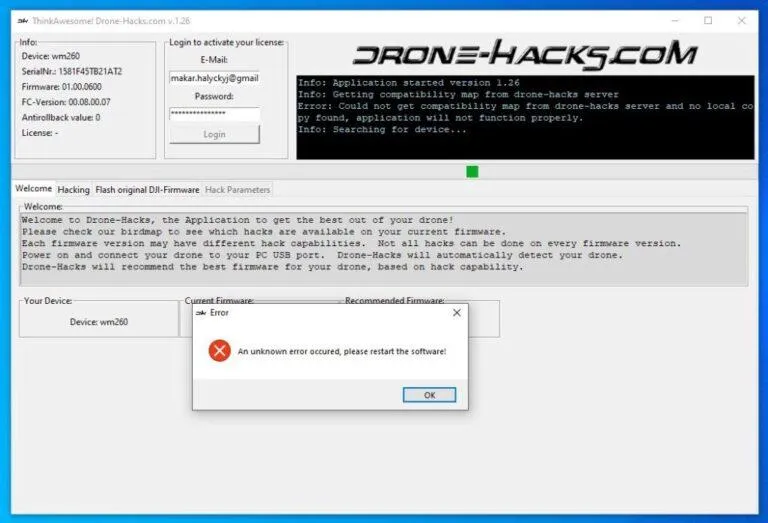
- The DroneHack program, which is actually needed to hack a drone, is downloaded for free from the site of the same name. You can download from here: https://drone-hacks.com/download
- USB cable to connect the drone to the computer. It is better to take a high-quality cable with a ferrite ring to eliminate high-frequency leads from the drone's radio path to the computer input.
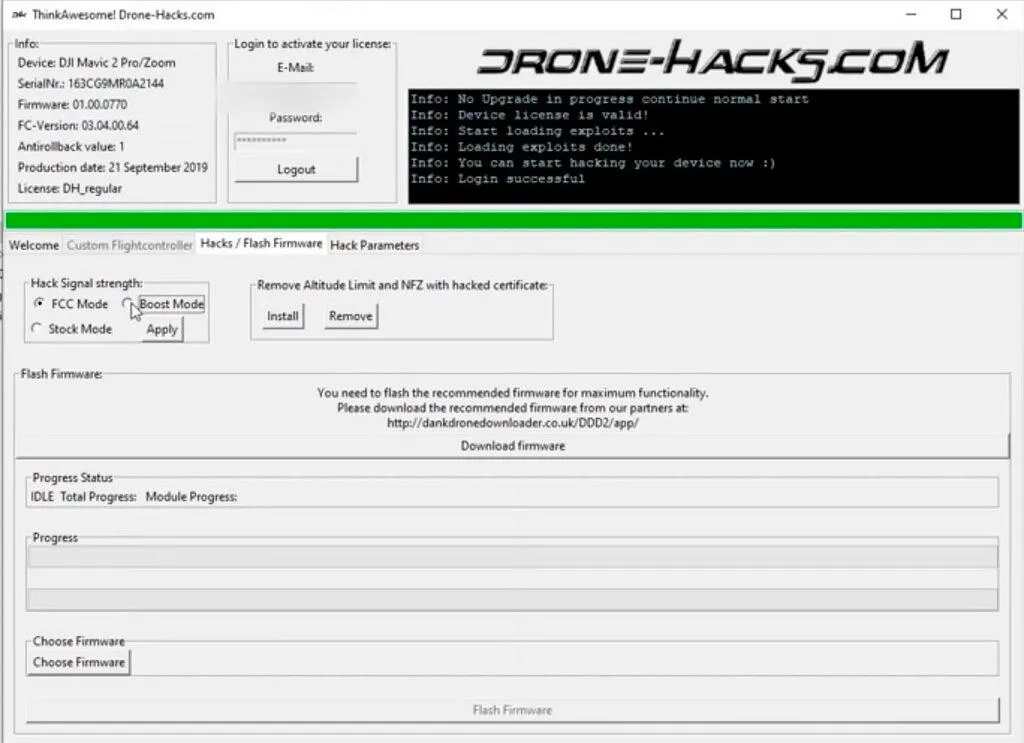
We run the Assistant 2 program on the computer, turn on the drone, and in a few seconds we connect it with a cable to the computer. Important! The computer must be connected to the Internet. After a while, you should see the drone icon that appears in the application window. If this is the case, the drivers have become correct. Then be sure to exit the program Acssistant, this is also important! Without disconnecting the drone from the computer, launch the DroneHacks program. If everything happens normally, after a few seconds the data exchange between the drone and the DroneHack program will begin.
Unfortunately, in some cases, not everything goes smoothly the first time, sometimes you need to reconnect the drone to the computer and restart the DroneHack program several times until the connection between the drone and the program is established and the data exchange between them begins. When the data exchange process has started, we enter your account details, log in and agree to link the payment from your account to the connected drone. After that, go to the “Hacks/Flash Firmware” tab of the Drone-Hacks program, and see if the current version of the drone software coincides with the recommended one. If it matches - you are lucky, if it does not match, then we download the desired version there and install it on the drone. Further, in the same place, in the “Hacks/Flash Firmware” tab, we do our own hacking of the drone firmware to remove the restrictions on NFZ and height by clicking the “Install” button to install the unlock certificate.